Marie Poulin – Notion Mastery
About Course
Notion Mastery
Our flagship program. Best for solo practitioners, builders, and Notion champions. Go deep!
Stop downloading templates and build a workspace that works for your unique needs and preferences.
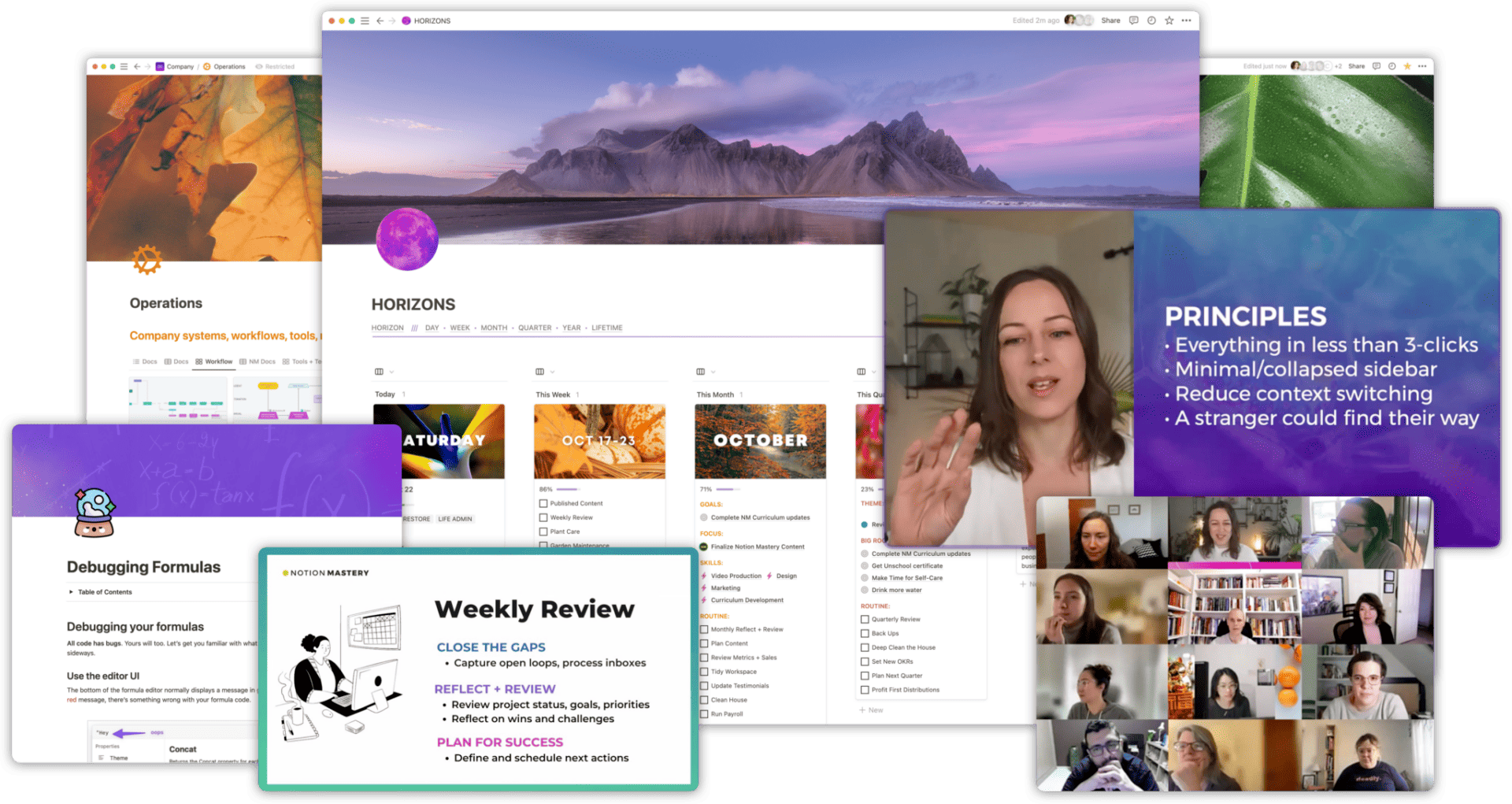
Perfect for individuals, entrepreneurs, and small business owners, our flagship Notion training will help you master your life and business workflows with Notion through live-training, courses, office hours, and an active and supportive community.
Notion offers you a way to integrate all of your tasks, documents, activities, habits, ideas, and creativity in one place.
It’s the most versatile and customizable platform for personal and professional organization + productivity—one you can use to run every area of your life and business:
- build a second brain
- task management
- client collaboration
- strategic planning
- daily journaling
- documentation + SOPs
- idea generation
- research + exploration
- content management
HOWEVER!!
If you don’t already have well-established systems, processes, and routines, you’ll simply recreate the same dysfunctional patterns from your old tools within Notion.
You’ve got to design your system in order for Notion to truly shine.
That’s why I created Notion Mastery
Hi, I’m Marie Poulin, Notion Ambassador and Notion Certified Consultant.
When I tried Notion for the first time back in 2017, it didn’t quite “click.” I knew it had potential, but wasn’t sure how to harness it.
As a long-time Evernote + Asana + Dropbox + Google Drive user, I was frustrated that my planning, tasks, files, ideas, and resources felt messy and fragmented.
It wasn’t until I tried using Notion to help me manage my permaculture diploma that I began to see what was possible, and why this tool was so incredible.
I took a chance and moved everything over to Notion, and it was a complete game-changer. I was finally able to build a system that worked for my ADHD brain.
I could now visualize all my work and commitments in one place, and got better visibility into where my time and effort was going (compared to where I thought it was going).
But even with years of systems training and design experience, it was still a time-consuming challenge. Notion is wildly open-ended, and if you don’t already have well-established systems, processes, and routines, it’s easy to recreate the same dysfunctional patterns from your old tools within Notion.
Since 2019, I’ve taught thousands of people how to use Notion to design their life and business operating systems and workflows, and have built a team that specializes in workflow optimization with Notion.
We’ve condensed our best practices and workflows into a robust online course and community to support you through the process of going from scattered to streamlined with Notion.
Let us show you what is possible with this incredible tool!
If you’re ready to stop procrasti-planning and playing whac-a-mole with your to-do list, join us in Notion Mastery.
CREATE AN INTEGRATED BUSINESS AND PERSONAL PRODUCTIVITY SYSTEM THAT IS TAILOR MADE FOR YOUR NEEDS.
Conquer Notion’s learning curve
Start with a complete walk-through of Notion’s most powerful features (and wildly time-saving quirks!).
Build better planning systems
Create practical planning and review processes for your daily, weekly, and monthly tasks + goals.
Reduce decision fatigue and overwhelm
Design your workflow to reduce friction and make prioritization and decision-making quicker and easier.
Design a custom workspace that works for you
Learn how to design custom dashboards that are tailor made for you and your style.
Improve team collaboration
Get everyone on the same page with stellar documentation, custom dashboards, and workflows that work.
Supercharge your knowledge management system
Improve your resource management, note-taking, and idea management.
Create a practical + sustainable workflow
Know where everything lives and minimize your decision fatigue and context switching.
Surprise + delight your clients
Share beautiful and practical collaborative dashboards with clients.
Get inspired
Get a sneak peek into a variety of workflows, examples, SOPs, and templates from community members and in our weekly office hours and workshops.
Course Content
Topic 1: M01-Welcome
Module containing 2 video lessons
-
Lesson 1: 1 Systems
02:00 -
Lesson 2: 2 Notion Clipper
02:00
Topic 2: M02-Get to Know Notion
Module containing 14 video lessons
-
Lesson 1: 1 Getting Oriented
04:41 -
Lesson 2: 2 Full Page Screenshots With Firefox
02:00 -
Lesson 3: 1 Notion Office Hours Building From Scratch
08:40 -
Lesson 4: 1 Learn Some Keyboard Shortcuts
02:00 -
Lesson 5: 2 Databases Vs Pages
04:34 -
Lesson 6: 1 Changing Databases From Inline To Page
02:00 -
Lesson 7: 2 Moving Data Around
03:33 -
Lesson 8: 3 Plants Garden Moving Data
02:00 -
Lesson 9: 1 Templates Overview
03:21 -
Lesson 10: 2 Template Buttons
02:00 -
Lesson 11: 1 Columns Templates
02:00 -
Lesson 12: 2 Toggles Columns
02:00 -
Lesson 13: 1 Inline Mentions
02:00 -
Lesson 14: 2 Global Blocks With Notion
02:00
Topic 3: M03-Understand Databases
Module containing 1 video lessons
-
Lesson 1: 1 Database Relations
02:00
Topic 4: 1.0.Database Views
Module containing 5 video lessons
-
Lesson 1: 1 Notion Tables
02:00 -
Lesson 2: 2 Databases Kanban View
02:47 -
Lesson 3: 3 Databases Gallery View
02:00 -
Lesson 4: 4 List View
02:00 -
Lesson 5: 5 Quick Tip Database Default View
02:00
Topic 5: 4.0.Sorting Entries
Module containing 1 video lessons
-
Lesson 1: 1 Replicating Filtered Database Views
02:00
Topic 6: 3.0.Set Up Your Projects
Module containing 2 video lessons
-
Lesson 1: 1 Projects
02:57 -
Lesson 2: 2 Create A Project Template
02:25
Topic 7: 4.0.Set Up Your Areas
Module containing 1 video lessons
-
Lesson 1: 1 A Walkthrough Of The Changes
02:27
Topic 8: 5.0.Set Up Your Resources
Module containing 7 video lessons
-
Lesson 1: 1 Resources Page Overview
03:15 -
Lesson 2: 2 Knowledge Hub
02:47 -
Lesson 3: 3 Nm Master Tag Database
02:00 -
Lesson 4: 4 Inspiration Database
02:08 -
Lesson 5: 5 Swipe Folder In Notion
02:00 -
Lesson 6: 6 Adding Emails To Your Swipe File
02:00 -
Lesson 7: 7 Additional Resource Notion Office Hours Building A Knowledge Hub
06:05
Topic 9: 6.0.Set Up Your Archives
Module containing 2 video lessons
-
Lesson 1: 1 Archives
02:00 -
Lesson 2: 2 Client Management Task Archives
02:00
Topic 10: 0.0.Overview
Module containing 3 video lessons
-
Lesson 1: 1 Copying Pasting Embedding Databases
02:00 -
Lesson 2: 2 Database Tip Changing From Inline To Page
02:00 -
Lesson 3: 3 Batch Edit Your Database Properties
02:00
Topic 11: 1.0.Relational Databases
Module containing 1 video lessons
-
Lesson 1: 1 Relational Databases
02:00
Topic 12: 2.0.Rollups
Module containing 1 video lessons
-
Lesson 1: 1 Rollups
02:03
Topic 13: M06-Layer in Your Use Cases
Module containing 1 video lessons
-
Lesson 1: 2 Client Proposals With Notion
02:17
Topic 14: M07-Create Contextual Dashboards
Module containing 5 video lessons
-
Lesson 1: 1 Start Here Page
02:00 -
Lesson 2: 2 Creating A Contextual Dashboard
02:22 -
Lesson 3: 1 Focus Dashboard
02:00 -
Lesson 4: 2 Recurring Tasks
02:00 -
Lesson 5: 3 Plan The Week
02:00
Topic 15: 1.0.Big Picture Planning Goal Setting
Module containing 3 video lessons
-
Lesson 1: 1 Making Your Big Goals Achievable
04:11 -
Lesson 2: 2 Why The Secret To Success Is Setting The Right Goals John Doerr
04:42 -
Lesson 3: 3 Plan Your Year In Notion
02:53
Topic 16: 2.0.Creating a Daily Journal Routine
Module containing 1 video lessons
-
Lesson 1: 1 Daily Routine
02:36
Topic 17: 3.0.Weekly Planning Review
Module containing 4 video lessons
-
Lesson 1: 1 Weekly Planning Calendar Process
02:57 -
Lesson 2: 2 Weekly Agenda
02:50 -
Lesson 3: 3 Create A Weekly Agenda Template From Scratch In Notion
02:48 -
Lesson 4: 4 Weekly Agenda
03:14
Topic 18: 1.0.Capturing resources with Notion
Module containing 2 video lessons
-
Lesson 1: 1 Full Page Screen Capture
02:00 -
Lesson 2: 2 Capturing Resources From Mobile
02:00
Topic 19: 6.0.Intro to Task Management
Module containing 4 video lessons
-
Lesson 1: 1 Why You Need A Master Task Database
02:00 -
Lesson 2: 2 Intro To Task Management Basic
02:43 -
Lesson 3: 3 Task Management Intermediate
02:10 -
Lesson 4: 4 Embedding Todoist
02:00
Topic 20: 8.0.Collaborating with Clients
Module containing 2 video lessons
-
Lesson 1: 1 Creating Client Portals
02:57 -
Lesson 2: 2 Creating A Master Client Tasks Dashboard
02:00
Topic 21: M09-Additional Office hours
Module containing 28 video lessons
-
Lesson 1: Build With Me Live Notion Build Out For A Training Company
10:40 -
Lesson 2: Call April 1 2020
06:05 -
Lesson 3: Call April 27 2020
07:05 -
Lesson 4: Call April 6 2020
10:14 -
Lesson 5: Call Dec 3 2019
08:39 -
Lesson 6: Call Feb 14 2020
09:36 -
Lesson 7: Call Jan 21 2020
11:32 -
Lesson 8: Call July 2 2020
07:01 -
Lesson 9: Call June 18 2020
07:15 -
Lesson 10: Call June 4 2020
08:05 -
Lesson 11: Call Mar 5 2020
07:28 -
Lesson 12: Call March 18 2020
09:35 -
Lesson 13: Call March 23 2020
13:23 -
Lesson 14: Call May 11 2020
09:58 -
Lesson 15: Call May 18 2020
09:28 -
Lesson 16: Call May 25 2020
09:31 -
Lesson 17: Call May 4 2020
11:54 -
Lesson 18: Call Mon Dec 9 2019
13:40 -
Lesson 19: Call Nov 12 2019
08:09 -
Lesson 20: Call Nov 18 2019
08:38 -
Lesson 21: Call Nov 26 2019
10:10 -
Lesson 22: Call Nov 4 2019
07:49 -
Lesson 23: Call April 20 2020
09:39 -
Lesson 24: How I Turned My Life Into A Rpg In Notion Free Template
03:29 -
Lesson 25: How To Make A Master Task Database From Scratch Using Notion
02:08 -
Lesson 26: Managing Client Projects
07:43 -
Lesson 27: Planning Your 2020
08:22 -
Lesson 28: The Master Of Notion
03:53
Topic 22: Update 1
Module containing 23 video lessons
-
Lesson 1: Member Space And Super So
08:25 -
Lesson 2: Nm Hot Seat Aug 6
06:24 -
Lesson 3: Nm Hot Seat July 9
07:38 -
Lesson 4: Nm Hours Supercharged Meetings Oct 30
08:36 -
Lesson 5: Nm Office Hours Academic Productivity Sep 18
07:53 -
Lesson 6: Nm Office Hours Aug 13
08:42 -
Lesson 7: Nm Office Hours Aug 20
08:24 -
Lesson 8: Nm Office Hours Aug
10:39 -
Lesson 9: Nm Office Hours Crowdsourced Public Resource Library Oct 9
08:32 -
Lesson 10: Nm Office Hours Field Guide Oct 2
07:45 -
Lesson 11: Nm Office Hours July 16
07:10 -
Lesson 12: Nm Office Hours July 30
08:23 -
Lesson 13: Nm Office Hours July 7
06:35 -
Lesson 14: Nm Office Hours Managing Academic Studies Sep 11
08:22 -
Lesson 15: Nm Office Hours Managing Your Coaching Program Oct 23
09:32 -
Lesson 16: Nm Office Hours Oct 22
09:23 -
Lesson 17: Nm Office Hours Oct 6
09:43 -
Lesson 18: Nm Office Hours Planning Online Courses Sep 25
12:37 -
Lesson 19: Nm Office Hours Planning Session Oct 8
09:24 -
Lesson 20: Nm Office Hours Scaling Your Business Oct 16
07:17 -
Lesson 21: Nm Office Hours Sept 24
06:53 -
Lesson 22: Nm Office Hours Sept 4 Building A Homeschooling Dashboard
09:48 -
Lesson 23: Nm Office Hours Sept 8
07:00
Download Full Course Resources
-
Download Below
Student Ratings & Reviews