Ran Segall – Webflow Masterclass 5 1 Pro – Courses24h.Com
About Course
Webflow Masterclass 5.1 Pro – A Practical Path to Professional Webflow Work
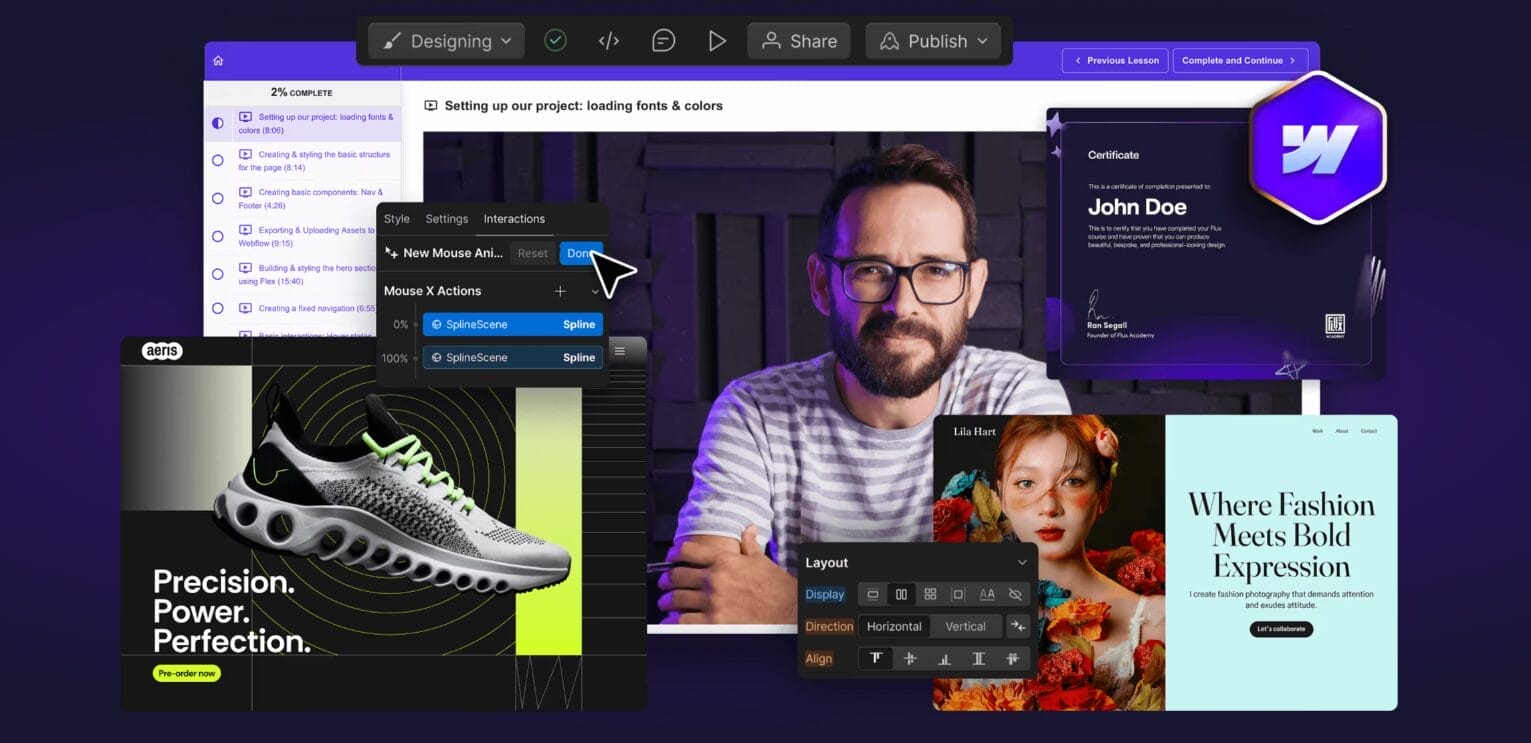
The Webflow Masterclass 5.1 Pro is an advanced training program created by Ran Segall through Flux Academy for designers who want to build real, client-ready websites using Webflow. Rather than teaching isolated features or surface-level tricks, the course focuses on how professional Webflow projects are actually planned, built, and delivered in real-world scenarios.
This program is designed for designers who already understand visual design fundamentals and want to move confidently into full website execution. It bridges the gap between design mockups and finished, responsive websites—while also addressing the business side of client work that many technical courses overlook.
What Makes Webflow Masterclass 5.1 Pro Different
Most Webflow courses focus on how the tool works. This one focuses on how professionals work.
Instead of jumping between disconnected lessons, the Masterclass follows a structured workflow that mirrors real client projects—from early setup to launch and handoff. The Pro edition goes a step further by including guidance on pricing, scope control, and client management, making it especially valuable for freelancers and studios.
The result is not just technical knowledge, but a repeatable system designers can rely on when working under deadlines, managing revisions, or scaling their services.
A Clear Focus on Real-World Outcomes
The core objective of the Webflow Masterclass 5.1 Pro is simple:
to help designers confidently deliver professional Webflow websites without relying on developers or trial-and-error learning.
Along the way, students learn how to:
-
Build clean, scalable Webflow projects that don’t fall apart as they grow
-
Translate Figma or Sketch designs into responsive layouts efficiently
-
Use Webflow’s CMS and components to reduce repetitive work
-
Prepare sites properly for launch, performance, and SEO
-
Manage client expectations, pricing, and delivery with confidence
By the end of the course, learners are not just “Webflow users”—they are equipped to present themselves as Webflow professionals.
How the Course Is Structured
The curriculum is organized into progressive stages, each addressing a key part of the Webflow workflow. Instead of overwhelming learners, each module builds naturally on the last.
Foundations and Structure
The early lessons focus on understanding Webflow’s layout logic, class system, spacing, and responsive behavior. This foundation is critical—without it, projects quickly become messy and difficult to maintain.
Design to Development
Students learn how to turn static designs into live websites using a consistent build method. This includes class naming strategies, spacing systems, asset handling, and breakpoint control. The emphasis is on accuracy and speed, not shortcuts.
Components and Dynamic Content
Rather than rebuilding the same elements repeatedly, learners are shown how to create reusable structures and CMS-driven layouts. This allows sites to scale logically and remain easy to update long after launch.
Interactions and Motion
Animations are introduced as a tool for clarity and engagement—not decoration. Students learn how to add motion thoughtfully while keeping performance and accessibility in mind.
Optimization and Launch
The course covers what happens after a site looks finished. This includes testing, optimization, SEO setup, publishing, and proper client handoff so projects don’t break once they’re live.
Business Systems (Pro Edition)
Exclusive to the Pro version, this section focuses on pricing, proposals, scope management, and client workflows. These lessons are particularly valuable for freelancers who struggle with underpricing or chaotic delivery.
Learning Support and Community
Students gain access to a private learning community where they can share work, ask questions, and learn from others at different stages of their careers. This environment helps reduce the isolation that often comes with self-paced learning and provides practical feedback beyond the course videos.
Who This Course Is Best Suited For
The Webflow Masterclass 5.1 Pro is best suited for:
-
Freelance designers who want to offer Webflow services professionally
-
Designers moving away from WordPress or developer-dependent workflows
-
Agencies seeking a consistent, scalable Webflow production process
-
UX/UI designers who want full control over implementation
It is not intended for complete beginners with no design background. The course assumes a basic understanding of layout, typography, and visual hierarchy.
The Real Value of the Program
What makes this course valuable is not just what it teaches—but how it teaches.
Instead of relying on hype or exaggerated promises, the Webflow Masterclass 5.1 Pro focuses on building confidence through clarity. Students leave knowing how to approach projects logically, how to avoid common structural mistakes, and how to deliver work that holds up in professional environments.
For designers who want fewer guesses, fewer rebuilds, and more consistency in their work, this program provides a practical framework that can be reused again and again.
Final Thoughts
The Webflow Masterclass 5.1 Pro is not about learning every feature Webflow offers. It is about learning how to use Webflow well—with intention, structure, and professionalism.
By combining technical execution with business awareness, the course helps designers move from experimentation to expertise. For those serious about building high-quality Webflow websites and running a sustainable design practice, this program offers a clear, grounded path forward.
Course Content
Topic 1: 01-Working with Clients Building Your Webflow Career
-
Lesson 1: Introduction Process Overview
05:16 -
Lesson 2: Effective Project Management Notion Template Starter Project Com
25:43 -
Lesson 3: Ultimate Webflow Build Checklist
30:40 -
Lesson 4: Pricing Proposals Closing Deals
24:55 -
Lesson 5: Onboarding Managing Client Expectations
13:26 -
Lesson 6: Lesson 6 Correcting Skintones
50:00 -
Lesson 7: Transferring Project Smooth Launches
08:00 -
Lesson 8: 3 D Globe Interaction
02:00 -
Lesson 9: Client Training Handover Example Videos
04:21 -
Lesson 10: Customer Reviews Cms Slider
02:00 -
Lesson 11: Heading Text Icon Images
02:00 -
Lesson 12: Hi Thrive Update Pricing
02:00 -
Lesson 13: How To Add A New Progress Or Update Article
02:00 -
Lesson 14: How To Update Resources
02:00 -
Lesson 15: June Lake Welcome To Webflow
02:07 -
Lesson 16: Supreme Skips Updating Changing Prices
02:00 -
Lesson 17: Wedgetail Upload Blog Post
02:00 -
Lesson 18: Finding Retaining New Clients
32:52 -
Lesson 19: Becoming A Webflow Expert
05:39 -
Lesson 20: Scaling Into A Webflow Agency
19:48
Topic 2: 02-Working Together with Team Members
Topic 3: 03-Conclusion Whats Next
Topic 4: 04-The Ultimate Webflow Build Checklist – PRO Course
Topic 5: 05-Bonus
Topic 6: 01-Introduction
Topic 7: 02-Web Design Concepts You MUST Understand to succeed with Webflow
Topic 8: 03-Building Strong Foundations
Topic 9: 04-Creative Development- Building Award Winning Websites
Topic 10: 05-Scaling Up Frameworks Components for Big Websites
Topic 11: 06-Certification Project
Topic 12: 07-Conclusion Whats next
Topic 13: 08-Bonus Build – Yoga Studio Relume E-commerce
Topic 14: 09-Bonus Build – Sport Events Video Membership Site
Download Full Course Resources
Student Ratings & Reviews